How to use the Pomodoro Technique on an iPhone
The Pomodoro Technique splits work into 25-minute intervals with short breaks. On an iPhone, start the Timer in the Clock app, turn on a Focus that silences distracting apps, work until it rings, then take a 5-minute break away from the screen. After four rounds, take a longer break.
Coming soon to iPhone
What is the Pomodoro Technique?
It is a time management method developed by Francesco Cirillo in the late 1980s. According to Wikipedia, it uses a kitchen timer to break work into intervals, typically 25 minutes long, separated by short breaks. Each interval is called a pomodoro, after the tomato-shaped timer Cirillo used as a student. After four pomodori you take a longer break.
The method is simple on purpose. It works by making the start small, giving the work a boundary, and making breaks mandatory. It is not magic, but many people find that a timer makes starting easier than a vague plan to work for a while.
What do you need on an iPhone?
Very little. The Clock app has a Timer, and the Focus feature can quiet notifications. If you want a log of your rounds, a piece of paper works better than an app.
Keep the phone nearby for the timer, but face down. The risk is that picking up the phone to start the timer leads to a notification and ten minutes of something else. Setting a Focus first removes most of that risk.
How do you set it up step by step?
You can say Hey Siri, set a timer for 25 minutes, if your hands are busy.
- Write the single task you will do for the next 25 minutes.
- Turn on a Focus that allows only calls from a short list. Apple explains how in the guide to setting up a Focus.
- Open Clock, tap Timer, set 25 minutes and press Start.
- Work on the task only. If a stray thought arises, write it on a sticky note and keep going.
- When the timer rings, mark a tick on paper and take a 5-minute break.
- After four rounds, take a break of 15 to 30 minutes.
What should you do in the breaks?
Stand up and move away from the screen. Drink water, stretch, look out a window. The break should rest your eyes and your attention. Scrolling a feed fills the 5 minutes but does not rest anything, and it often runs long. If you find yourself opening an app during breaks, that is a good place for a pause.
A break is also a good place for something short and physical: ten squats, a walk to the kitchen. Keep it simple and finish before the break ends.
What if 25 minutes is wrong for you?
Change it. Some people prefer 50 minutes of work and 10 of rest, and others start with 15. The number matters less than the fixed boundary. Ebb, an iPhone app in development, offers focus sessions of 25, 50 or 90 minutes. During a session, every gate shows the time left and costs 60 seconds to pass, and you can end the session early at no cost. See pass costs.
How does a gate fit a work session?
During a session, you want feeds to be hard to open. A Shortcuts automation that runs when a feed opens can put a short round in front of it. Ebb uses the same focus game for that pause. If you still choose to open the feed, the cost of 60 seconds makes it a deliberate choice, not a reflex. Ebb is a speed bump, not a lock.
The focus game itself is described on the focus game page: Search, Hold and Switch rounds that take seconds.
A sample day with six pomodori
Six rounds is three hours of focused work, which is plenty for most people. Anything else in the day can be shallow work and meetings. Do not worry about hitting eight.
| Round | Task |
|---|---|
| 1 | The hardest thing on your list |
| 2 | Continue or finish the first task |
| 3 | Email and messages in one batch |
| 4 | Planning or reading |
| 5 | A medium task |
| 6 | Cleanup and tomorrow's list |
What if you get interrupted?
Cirillo's method treats an interruption as a reason to note it and return. If it is short, write down what happened and go back. If it is long, scrap the round and start a fresh one. Do not count a broken round, because the count is for you.
How do you handle notifications during a round?
Silence everything that is not urgent. A Focus can allow calls from favorites and nothing else. Add one more layer: turn the phone face down or place it where you cannot see the screen. A lit screen on the desk pulls the eye even when you do not touch it.
What about tracking your rounds?
A paper tally is enough. Draw a small box for each round and fill it in when the timer rings. At the end of the week, count them. The count shows your real capacity for focused work, which is often lower than expected and can be raised slowly. If you track in an app, choose one that does not send notifications.
Does the method suit every task?
Not every one. Creative work with a flow can feel interrupted by a bell, and some tasks need long uninterrupted stretches. If a round ends while you are in flow, finish the thought before you rest. Routine tasks, emails and admin fit the method very well. Use the timer as a tool and not as a rule.
What if you work on the phone itself?
Some jobs happen on the phone, such as messaging clients or editing photos. In that case, use a Focus that allows only the apps for the task, and hide the rest from the Home Screen for the length of the round. A pause in front of feed apps still helps, since the risk is the app you did not plan to open. Be honest about which apps the task really needs.
How do you stop checking the timer?
Looking at the countdown every minute wastes the focus the timer protects. Put the phone face down, or set the timer on a watch or a separate kitchen timer. If you keep glancing, extend the round and trust the sound. The bell is the signal, so you are free to forget the clock until it rings.
Frequently asked questions
How do I use Pomodoro on iPhone?
Set a 25-minute timer in the Clock app, turn on a Focus, work until it rings, then take a 5-minute break.
Is 25 minutes the right length?
It is the classic length. Some people use 15 or 50. Choose what lets you start easily.
Do I need a Pomodoro app?
No. The Clock timer and a Focus are enough, and paper works for tracking.
What should I do in a Pomodoro break?
Step away from the screen, move, drink water and rest your eyes. Avoid feeds.
Does Ebb have a focus timer?
Ebb has focus sessions of 25, 50 or 90 minutes that raise the gate cost to 60 seconds. It is not a full timer app.
Keep exploring
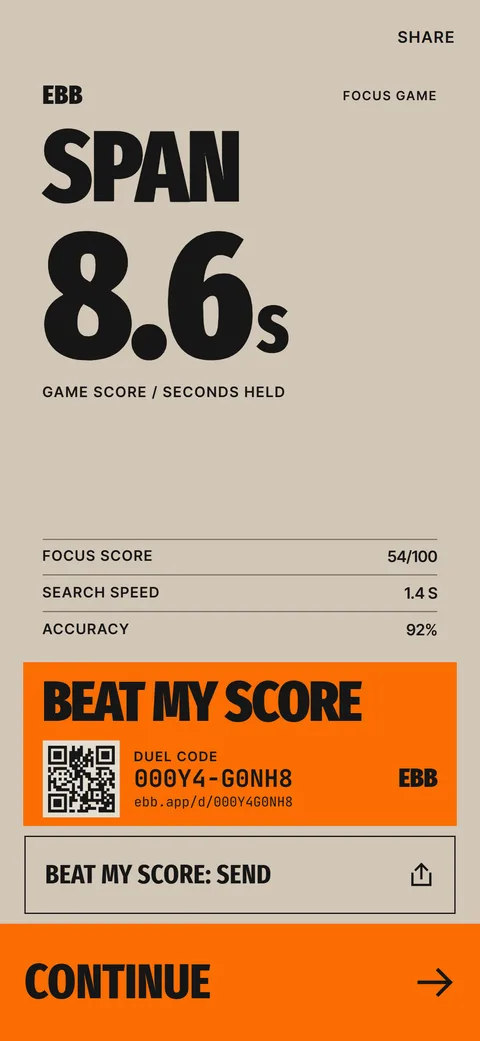 The Ebb Focus GameSearch, Hold and Switch rounds, a span score in seconds and a daily game.
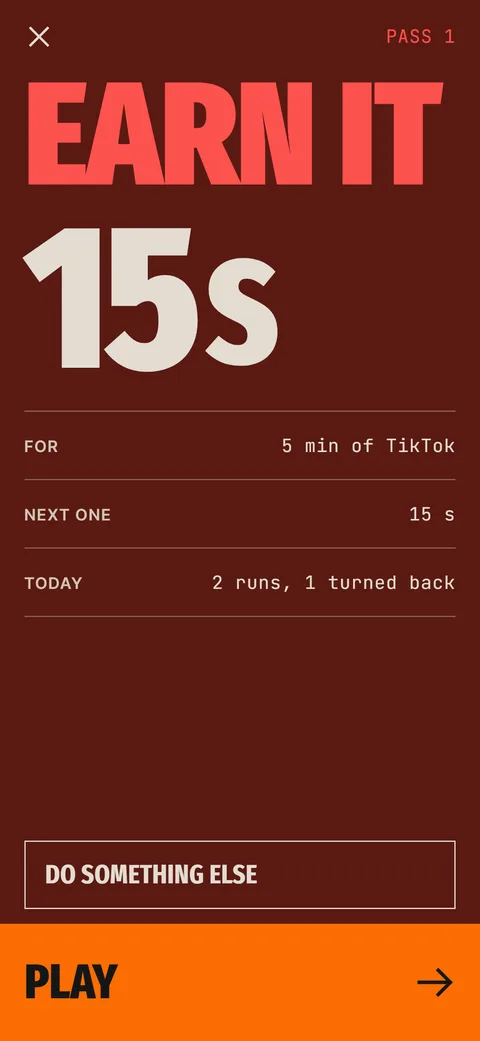 Ebb Pass CostsRounds of 15, 30 and 60 seconds, a daily pass limit and optional Morning and Night rules.How to Stop Checking Your PhoneEight habits for fewer phone checks, starting with measuring pickups and ending with scheduled check-in windows.